


Post


How to Share Pickup and Drop-Off Details with Your Drivers
It starts with one call.
"Hey, where exactly am I going?" You send the address. Five minutes pass. The driver calls again — "which dock am I at?" You dig through the load confirmation email. Another ten minutes. Another call — "there's a guard gate here and they're asking for a code. You got that?"
By the time that driver is checked in, you've burned 25 minutes of your morning on a single stop. Multiply that across a fleet of drivers and a full day of pickups and drop-offs, and dispatch communication doesn't just slow things down — it becomes the job.
Here's the problem: an address is not delivery instructions. Most operations treat it like it is, and they pay for that gap in callbacks, confusion at the gate, and drivers sitting in parking lots waiting for information that should have been in their hands before they left.
This post covers exactly what drivers need before every pickup and drop-off, and the five most effective ways to get it to them — reliably, every time.
Quick answer: To share pickup and drop-off details with your drivers, include full dock and check-in instructions in your dispatch notes or load tender, send a pre-trip message before each run, maintain a shared location reference for regular stops, and publish recurring locations on Delivery Locate so drivers can self-serve the information without calling back.
Why an address alone isn't enough
GPS is genuinely remarkable. It will navigate a driver from their home driveway to a warehouse loading dock within meters of accuracy. What it will not do is tell them which of the 40 dock doors is theirs, whether the facility's truck entrance is on the north side of the building rather than the main entrance, what to say to the guard at the gate, or that receiving closed at 3 p.m. and the driver is arriving at 3:20.
The gap between "arrived at the address" and "successfully checked in" is where the majority of delivery friction lives. It is also almost entirely preventable.
For an operation running one or two drivers on familiar lanes, this gap is manageable. For anything larger — multiple drivers, multiple stops per day, a mix of regular and new locations — the friction compounds fast. Each driver who leaves without complete information generates between two and four callbacks to dispatch. Each callback pulls a coordinator off whatever they were doing. Each delay ripples into the driver's next stop.
The good news is that the fix isn't expensive or complicated. There are two levers: better pre-trip briefing from dispatch (pushing information to drivers before they ask), and accessible location databases that drivers can pull from themselves when they need it. The best-run operations use both, and they do it systematically rather than reactively.
The complete set of details drivers need
Before covering the how, it helps to be precise about the what. Most dispatch communication gaps aren't caused by unwillingness — they're caused by not having a clear picture of what complete location information looks like.
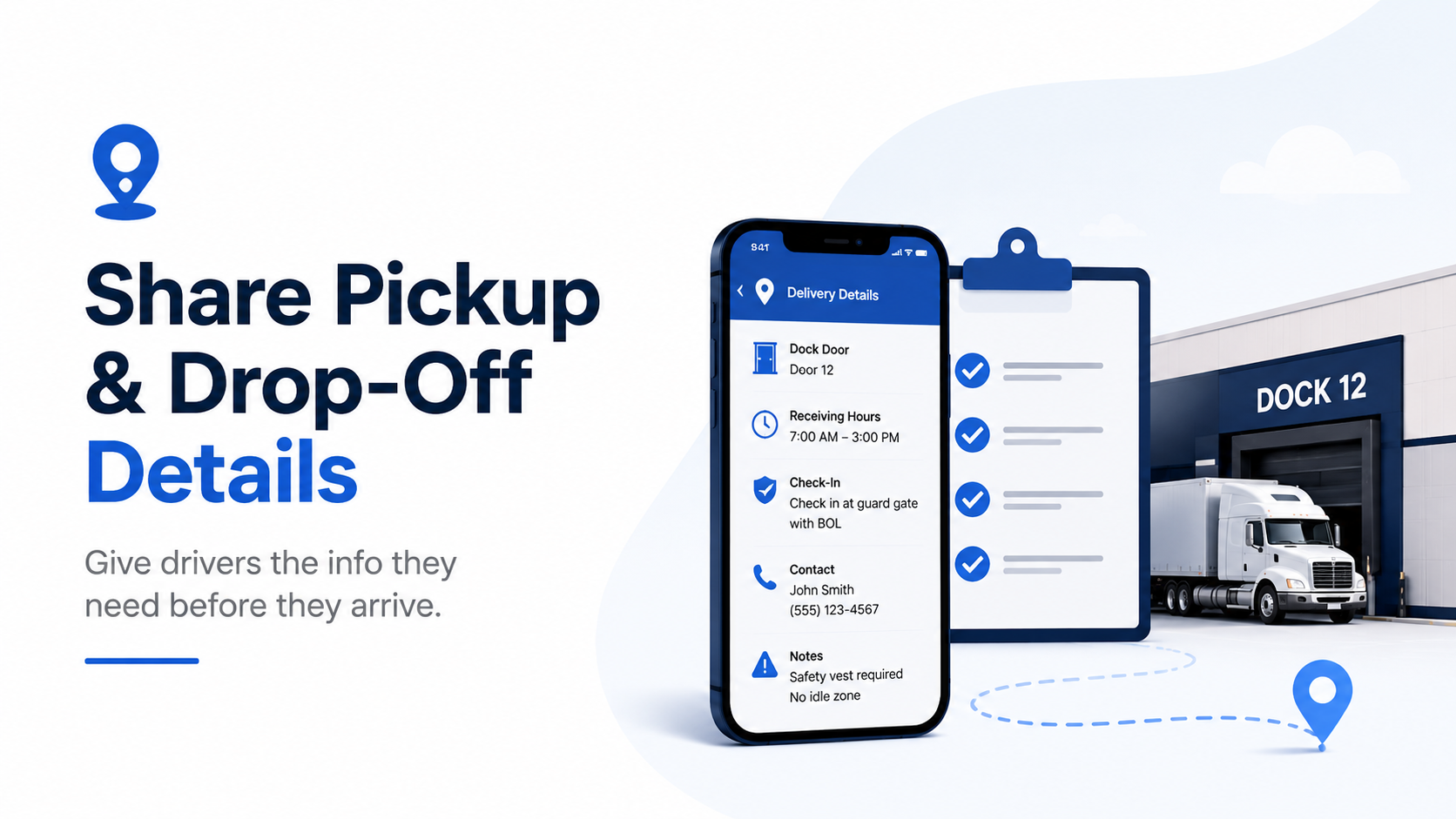
Here is the full set of details a driver benefits from having before arriving at any pickup or drop-off:
Location basics
Full street address, including suite or unit number
The correct entrance for trucks — this is frequently on a different side of the building from the main entrance, and GPS will navigate to the front door regardless
A nearby major intersection or visible landmark for when GPS signal drops or the address pulls up a wrong pin
Dock and receiving details
Dock door number or the location of the receiving area
Whether docks are pre-assigned or first-come, first-served — a driver who parks at the wrong door in an assigned-dock facility wastes everyone's time
Any special unloading requirements: driver-assist, dock levelers, dock plates, hand-truck required
Check-in procedure
Guard gate: what documents to present (BOL, driver ID, load number), whether an appointment confirmation is required
Intercom: the exact button to press, what to say, who to ask for
Open lot: where to park and who to approach on arrival
Timing and scheduling
Inbound freight receiving hours — not general business hours, which are often different
Whether a scheduled appointment is required and how the driver books one if they don't already have it
Estimated wait time, if your operation has visibility into dock congestion at that stop
Contact information
Name and direct number for the receiving dock or shipping department
Your own number as a dispatcher fallback
Vehicle and safety requirements
Maximum trailer length the facility can accommodate
Whether a lift gate is required (critical for facilities without loading docks)
PPE requirements: safety vest, steel-toed boots, hard hat
No-idle zones, weigh-in requirements, or any other yard rules the driver needs to follow on arrival
Practical tip: Turn this checklist into a standard template your dispatch team fills in for every new location. It takes about an hour to build the template and set it up in your workflow. That one hour eliminates the callbacks that new locations generate on every single run.
5 ways to share location details with drivers
There is no single right method. The best approach for your operation depends on fleet size, how many recurring versus new stops you run, and what tools your team already uses. Here are the five most effective options — with an honest assessment of where each one works best and where it falls short.
1. Publish the location on Delivery Locate
Delivery Locate is a free, community-sourced platform where facilities and logistics teams can publish complete delivery instructions — dock numbers, receiving hours, gate procedures, vehicle restrictions, photos, and driver notes — and make them permanently available to any driver who searches for that location.
The key advantage is that it works passively. You add a listing once. From that point forward, every driver dispatched to that location — whether from your fleet or from an outside carrier — can find everything they need before they leave, without calling anyone. The listing doesn't expire, doesn't require a subscription, and can be updated any time your details change.
For your own drivers, share the listing URL when you dispatch the load. For outside carriers picking up from your facility, publish your own location so their drivers find it automatically when they search. One action, permanent benefit.
Add a location to Delivery Locate →
Best for: recurring locations, facilities you manage or receive freight at regularly, high-traffic stops on dedicated lanes, any location where you're tired of answering the same driver questions.
2. Include full instructions in the load tender or dispatch note
Every TMS platform and most dispatch software has a notes or special instructions field on the load tender. This field exists for exactly this purpose, and most operations leave it either empty or populated only with the address.
The fix is straightforward: paste the complete set of location details — dock number, receiving hours, check-in procedure, contact name and number — into the notes field for every stop that isn't already covered by a Delivery Locate listing or driver onboarding packet. For recurring stops, save the instructions as a template and attach it automatically every time that location appears on a load.
The limitation is reach. Your internal TMS notes are only visible to your own drivers and team. Outside carriers dispatched on the same freight won't see them. For locations you control, this pairs well with a Delivery Locate listing — use the listing for universal access and the TMS note as an internal reminder.
Best for: in-house fleets, dedicated lanes, operations where drivers work exclusively within one TMS environment.
3. Send a pre-trip message with all location details
For small fleets, owner-operators, and operations where loads are assigned last-minute, a direct message — text, WhatsApp, a fleet messaging app — sent the night before or morning of the run is one of the simplest and most effective tools available.
The message should include the address, dock number, receiving hours, check-in procedure, and a contact number. Keep it short and scannable. Drivers read these on their phones between stops, often at a red light or in a parking lot. Dense paragraphs get skimmed past; a clean list gets read.
Use a consistent format every time so drivers know exactly where to look for each piece of information. Something like:
Stop: Accredo — 4750 E 450 S Suite A, Indiana Dock: Check in at front office, they'll assign Hours: Mon–Fri 8am–4pm Gate: Open lot, park near south entrance Contact: Ask for receiving, ext. 112
A format like that takes 60 seconds to fill in and eliminates every callback that stop would otherwise generate.
The limitation is consistency. Pre-trip messages only work if dispatch sends them reliably. In busy periods, when loads are assigned at the last minute or the team is stretched, this is usually the first thing that gets skipped. If your operation relies on this method, make it a hard rule — not a best practice — that no driver departs without a location message in hand.
Best for: small fleets, owner-operators, last-minute load assignments, operations without a formal TMS.
4. Create and maintain a shared location document
For operations with a fixed set of regular stops — a regional distribution route, a dedicated supplier pickup schedule, a last-mile network serving the same addresses week after week — a shared location reference document is one of the highest-return investments you can make.
The format doesn't matter much. A Google Sheet with one row per location works. A Notion page with a section for each facility works. Even a pinned message in a driver group chat with formatted location blocks works. What matters is that it's searchable, shared with every driver, and maintained when details change.
When a driver is dispatched to a location, they check the document before they leave. No call to dispatch required. No hunting through old load confirmations. The information is there, organized, and current.
The limitation is maintenance discipline. A location document that falls six months out of date is worse than no document — drivers trust it and show up with wrong information. Assign one person to own it. Set a quarterly calendar reminder to review every entry. When a driver reports that something has changed, update it the same day.
Best for: operations with a high proportion of recurring stops, regional fleets, dedicated distribution networks, owner-operators with a stable client base.
5. Build location details into driver onboarding for regular lanes
For drivers who run the same lanes on a recurring basis, location details shouldn't be something they have to ask for — they should be part of what they receive when they're onboarded to that lane.
A simple one or two-page reference sheet covering every regular stop on the route — dock number, check-in procedure, receiving hours, contact name — handed to a driver on their first day running that lane means they start day one already informed. Every subsequent run, they already have what they need.
Pair the printed or digital reference sheet with Delivery Locate listings for each stop. The listing gives the driver a mobile-friendly version they can pull up on their phone mid-route, with photos to help them identify the entrance from the road. The onboarding packet gives them the overview. Together, they cover every scenario.
Best for: dedicated fleet operations, regional distribution, carrier relationships where drivers run the same lanes for months at a time.
The communication habit that eliminates most callbacks
The five methods above are tools. The thing that actually eliminates callbacks is a habit — a change in when location information gets assembled.
In most operations, location details are gathered reactively. A driver calls asking for a dock number, so dispatch hunts for it. A driver calls from a gate asking for a code, so dispatch scrambles to find the facility's contact number. The information gets found and passed along, the driver moves on, and nothing gets documented for next time.
The operational shift is simple: location details get confirmed before the driver departs, not after they call from the gate. No driver leaves the yard — or accepts a load assignment — without a complete set of instructions for every stop on their run.
In practice, that means dispatch has a defined step in the load assignment process where they confirm that location details are included in the tender, sent as a pre-trip message, or covered by an existing Delivery Locate listing. It's one additional check before the load is released. It takes two minutes when you have the information, and it saves ten minutes of callbacks when you send the driver without it.
Frame it as a professional standard rather than extra work. The best-run operations don't wait for drivers to call — they treat location prep as a non-negotiable part of dispatching a load, the same way they treat confirming the pickup window or verifying the load weight. It is part of the job.
For teams using Delivery Locate, the simplest version of this habit is one step: when dispatching any load, include the Delivery Locate listing URL for each stop alongside the standard load details. If a listing doesn't exist yet, that's the signal to create one before the next run on that lane.
What to do when you don't have the details
Even with good systems in place, there will be stops where complete location information simply isn't available before dispatch. Here is the fallback sequence:
Call the facility's receiving department directly — not the main switchboard. Ask for "receiving," "inbound freight," or "warehouse receiving." Get the dock number, receiving hours, check-in procedure, and a direct contact name. Do this the day before the delivery, not the morning of.
Check Delivery Locate. Another driver or facility manager may have already documented everything you need. Search existing listings →
Review the BOL or delivery order. Shippers often include dock numbers and special instructions in a notes field that's easy to miss when skimming for the address.
Ask the broker or shipper. On lanes they book regularly, they frequently have location notes from prior runs that never made it into a formal system.
If none of those produce results, send the driver with instructions to arrive early, park safely off the dock lane, and check in through the front office. It's not ideal, but a driver who arrives 20 minutes early with no dock number is in a better position than one who arrives on time and blocked.
After the delivery, log what the driver found. Add it to your shared document and, where it makes sense, to a Delivery Locate listing. The next run on that lane should not start from zero.
Building a location library for your operation
Every stop your drivers complete is a piece of location intelligence your operation should be capturing.
The information exists after the first delivery to any new facility — your driver knows the dock number, the gate procedure, the receiving manager's name. Most of the time, that information lives only in that driver's phone or memory. When a different driver runs the same lane, they start from scratch.
The fix is a standing process: after every first delivery to a new location, drivers submit a short note — dock number, check-in procedure, receiving hours, any quirks — back to dispatch. Dispatch logs it in the shared document and, for any stop likely to recur or be run by outside carriers, adds it to Delivery Locate.
Over time, your operation accumulates a location library. Regular stops are fully documented. New drivers onboard with the information already in place. Outside carriers dispatched on your lanes can find what they need without calling your team. The number of location-related callbacks trends toward zero — not because drivers stopped getting lost, but because the information is available before they ever leave.
The compounding effect is real. Every stop you document today is a callback you will not receive next week, next month, or next year.
Give drivers the right information before they ask for it
The morning call cascade — address, then dock number, then gate code — is not an inevitable part of running a delivery operation. It is the symptom of a single fixable problem: location details being assembled after drivers call, instead of before they leave.
The tools to solve it are already within reach. Delivery Locate for any stop that recurs or handles outside carriers. TMS notes for in-house loads. Pre-trip messages for small fleets and last-minute assignments. A shared location document for regular routes. Driver onboarding packets for dedicated lanes.
None of these require significant investment. All of them require the same commitment: building the habit of getting drivers the right information before they need to ask for it.
Every location you document today is a callback you won't get tomorrow.