


Post


How to Find Dock Numbers and Delivery Instructions for Any Warehouse
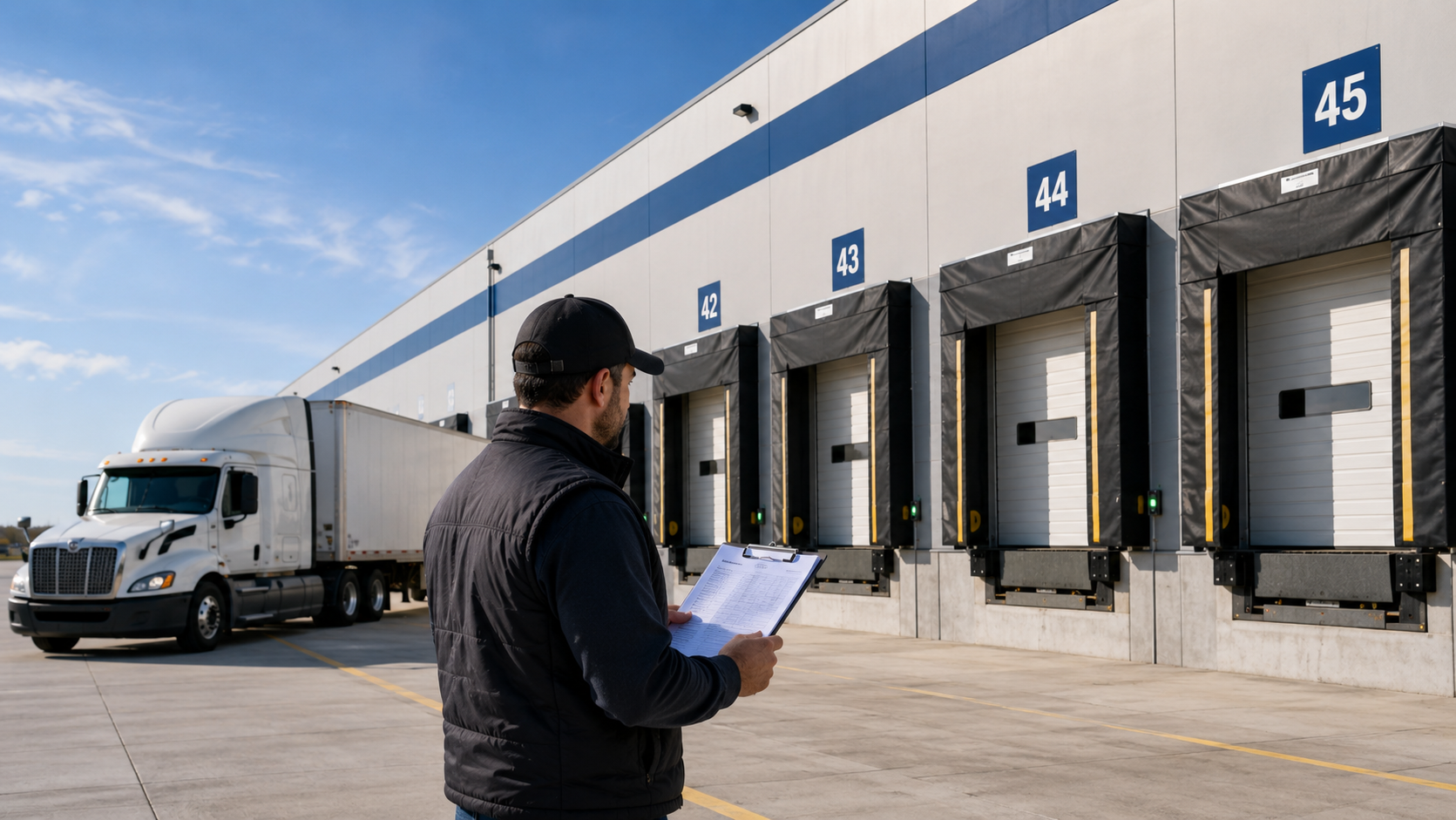
You pull up to a massive distribution center. The address is right. But there are 60 dock doors stretching the length of a football field, no signage pointing you anywhere useful, and a guard at the gate asking for a dock number you don't have. You call dispatch. No answer. You try the number on the BOL. Voicemail.
Thirty minutes later, you're finally backing into dock 47 — late, frustrated, and running behind on your next stop.
Sound familiar? It happens to drivers every day, at facilities across the country. And almost every time, it's avoidable.
This guide covers the six most reliable ways to find dock numbers and delivery instructions for any warehouse or distribution center — before you ever leave home base.
Quick answer: To find dock numbers and delivery instructions for a warehouse, check Delivery Locate, call the facility's receiving department directly, review your Bill of Lading, or ask your dispatcher. For best results, look it up the night before — not while you're sitting in the parking lot.
Why dock numbers and delivery instructions matter more than you think
A dock number sounds like a small detail. It's not.
Large distribution centers can have anywhere from 20 to over 100 dock doors. Some facilities assign specific doors to specific carriers or freight types. Others run tight appointment windows where showing up at the wrong door means getting bumped to the end of the queue — or turned away entirely.
Beyond the dock number itself, every facility has its own check-in process. Some require you to buzz an intercom and wait for clearance. Some have guard gates that need a BOL number, a driver ID, and a pre-registered appointment before they'll raise the arm. Some have open lots where you back in and find someone yourself. If you don't know which type you're walking into, you're already behind.
The cost of getting it wrong adds up fast. Failed or delayed deliveries eat into driver pay on mileage-based routes, burn fuel during extended wait times, and can result in refused loads or detention charges that take weeks to sort out with a broker. For shippers and receivers, a missed delivery window can ripple through inventory planning and put customer orders at risk.
Getting delivery instructions right the first time isn't just a convenience — it's how professional drivers protect their time and their reputation.
What delivery information you actually need
Before we get into how to find the information, it helps to know exactly what you're looking for. Not every facility requires all of this, but having it all in hand means no surprises.
Dock door number — The specific door assigned to your delivery or pickup. At large facilities, this is non-negotiable.
Receiving hours — When the facility accepts inbound freight. This is often different from the facility's general operating hours, and sometimes different from shipping hours at the same location.
Appointment requirement — Many large DCs require a scheduled appointment through a carrier portal or scheduling system. Showing up unscheduled, even within receiving hours, can mean a long wait or a turn-away.
Check-in procedure — Is there a guard gate? An intercom? Do you check in at a kiosk or walk into the front office? Knowing this ahead of time saves the awkward back-and-forth when you arrive.
Vehicle restrictions — Some facilities only accept 53-foot trailers. Others require a lift gate. Some can't accommodate sleeper cabs due to lot size. A mismatch here can mean an immediate turn-away.
Contact name and phone number — Ideally the receiving manager or dock supervisor. This is your lifeline if something goes sideways on arrival.
Special instructions — No-idle zones, PPE requirements (safety vest, steel-toed boots), caged or secured receiving areas, and any paperwork the facility wants you to have ready at the gate.
Pro tip: Save a simple checklist like this in your phone notes app. When you confirm a new location, fill it in and save it under the company name. The second delivery to that facility will be completely stress-free.
6 ways to find dock numbers and delivery instructions
1. Check Delivery Locate first
Delivery Locate is a free, community-sourced database built specifically for drivers, shippers, and logistics teams. Listings include dock door numbers, facility photos, receiving hours, vehicle restrictions, check-in procedures, and notes left by other drivers who've been there before.
Search by company name or street address. You don't need an account to view listings — just search and go. For high-volume facilities like major distribution centers, grocery DCs, and manufacturing plants, there's a good chance a listing already exists with everything you need.
It's the fastest starting point before any delivery to an unfamiliar location. Search Delivery Locate →
2. Call the facility's receiving department directly
If there's no listing available, a direct call is your most reliable option. The key is getting to the right department.
Don't call the main company number — you'll end up in a phone tree and eventually reach someone in customer service who has no idea what a dock number is. Ask specifically for the "receiving dock," "inbound freight," or "warehouse receiving" department.
When you get through, ask for:
The dock door number for your delivery
Receiving hours and whether an appointment is required
Gate or check-in procedure
A direct contact name and number for your arrival
Write it all down and keep it with your paperwork. If you can, get the name of the person you spoke with — it carries weight at the gate.
3. Check the Bill of Lading or delivery order
The BOL is the first place to look before picking up the phone. Many shippers include dock numbers, suite numbers, receiving contact information, and special instructions directly on the shipping document — especially on dedicated or repeat lanes.
Look for a "delivery instructions," "special instructions," or "notes" field. It's often at the bottom of the document and easy to miss if you're skimming for just the address.
If the shipper filled this in correctly, you may already have everything you need without making a single call.
4. Ask your dispatcher or broker
Dispatchers and brokers who work high-volume lanes often have delivery notes from previous drivers on file. It's worth a quick message or call before you head out — especially if this is a load type or region they book regularly.
If they don't have notes on hand, ask them to call ahead to the facility on your behalf. A dispatcher calling as the carrier often gets information faster than a driver calling cold.
For repeat lanes, it's worth asking your dispatcher to formally add location notes to the load tender or TMS so future drivers have the information waiting for them.
5. Use Google Maps Street View
Street View won't give you a dock number or receiving hours, but it can be genuinely useful for scouting the physical layout of an unfamiliar facility before you arrive.
Use it to find the truck entrance (often separate from the main entrance), identify where the dock area is located relative to the street, spot tight turns or low clearances, and understand the general flow of the lot.
Just be aware that Street View imagery can be several years old. Don't rely on it for operational details like hours or signage — facilities change. Use it purely for the physical layout.
6. Check trucking community forums and groups
Drivers helping drivers is the oldest form of logistics intelligence, and it's alive and well online. Facebook groups dedicated to trucking, threads on Reddit (r/Truckers and r/overtheroad), and apps like Trucker Path sometimes contain location-specific tips in their comment sections.
The limitation is that this information is scattered, unverified, and hard to search. You might find exactly what you need in a three-year-old comment thread, or you might find nothing. It's worth checking as a last resort, but don't count on it.
If you do find useful information this way, consider adding it to Delivery Locate so it's organized and searchable for the next driver.
What to do when you still can't find the information
Sometimes you've done everything right and still arrive without a dock number. It happens. Here's how to handle it without losing time or your cool.
Arrive early. If you know going in that you're short on details, add 20–30 minutes to your ETA. You'll need that buffer to figure things out on the ground, and showing up early always looks better than showing up late while confused.
Find a safe spot to park before you approach the facility. Never sit in a dock lane or block a gate while you sort things out. Look for visitor parking, a nearby truck stop, or a safe shoulder. Figure out your approach before you commit to a lane.
Walk in through the front office. At most facilities, the front desk or reception can point you to receiving — or call back there on your behalf. It feels old-fashioned, but it works almost every time. Facilities are used to it.
At a guard gate, keep it simple. Tell the guard you're making a delivery, give them the company name and BOL number, and ask who you should contact. Most gate guards have a process for exactly this situation.
Call the consignee directly as a last resort. The consignee — the recipient named on the BOL — is the person who actually wants this freight to arrive. They're motivated to help you find the right door.
After you deliver: Take two minutes to add the location to Delivery Locate. Note the dock number, any gate procedures, vehicle restrictions, and anything else that would have helped you today. The next driver on this lane will find it waiting for them. Add a listing →
Pro tips for repeat deliveries
Once you've cracked a new location, make sure you don't have to figure it out twice.
Log it immediately. Save the dock number, receiving hours, gate procedure, and contact name in your phone under the company name. Do it right after the delivery while it's fresh — not three weeks later when you've forgotten.
Take photos. Snap the dock entrance, the gate, any posted signage, and the overall lot layout. A photo tells you more than notes ever will, and it takes ten seconds.
Note the receiving manager's name and direct line. A direct relationship with the person running the dock is worth more than any app or database. Use it.
Share what you know. Uploading your notes to Delivery Locate takes less than five minutes and directly helps every driver who pulls this load after you. This is how the platform gets better — one driver, one location at a time.
Ask about a carrier packet. Large shippers often have a "preferred carrier" or "vendor compliance" packet that includes detailed receiving instructions, dock assignments, appointment booking instructions, and contact information. Ask the receiving manager if one exists — you might walk away with a document that handles every future delivery automatically.